How to Code Your Function
When you drop a Function Block in the canvas it has no code created yet. The best practice is to first create a sketch of your entire workflow, defining how many inputs and outputs each function will have. When you're done: select your block and click "Create Code".
After that, you can code it manually or code using your favorite code agent. See Using agents to code.
The Run Function
The main structure of a block is a run function that is triggered for every message that the block receives, and a send function to send messages to the next block.
async function run(input: InputData, send: (payload: Outputs) => void) {
  console.log(JSON.stringify(input, null, 2));
  send({ data: 'Hello World' });
}
A function can send as many messages as it wishes. The granularity of a function is a project policy decision, the more granular the function, the more reusable it becomes. But, as the number of blocks increases, the complexity of the workflow increases.
Functions can be as large as an entire data processing system, or just a small algorithm. Keep in mind that AI code generation works better in small contexts.
Multiple Inputs and Outputs
The example above shows a simplified run function for a block that has a single input and a single output. However, blocks can have multiple inputs and outputs.
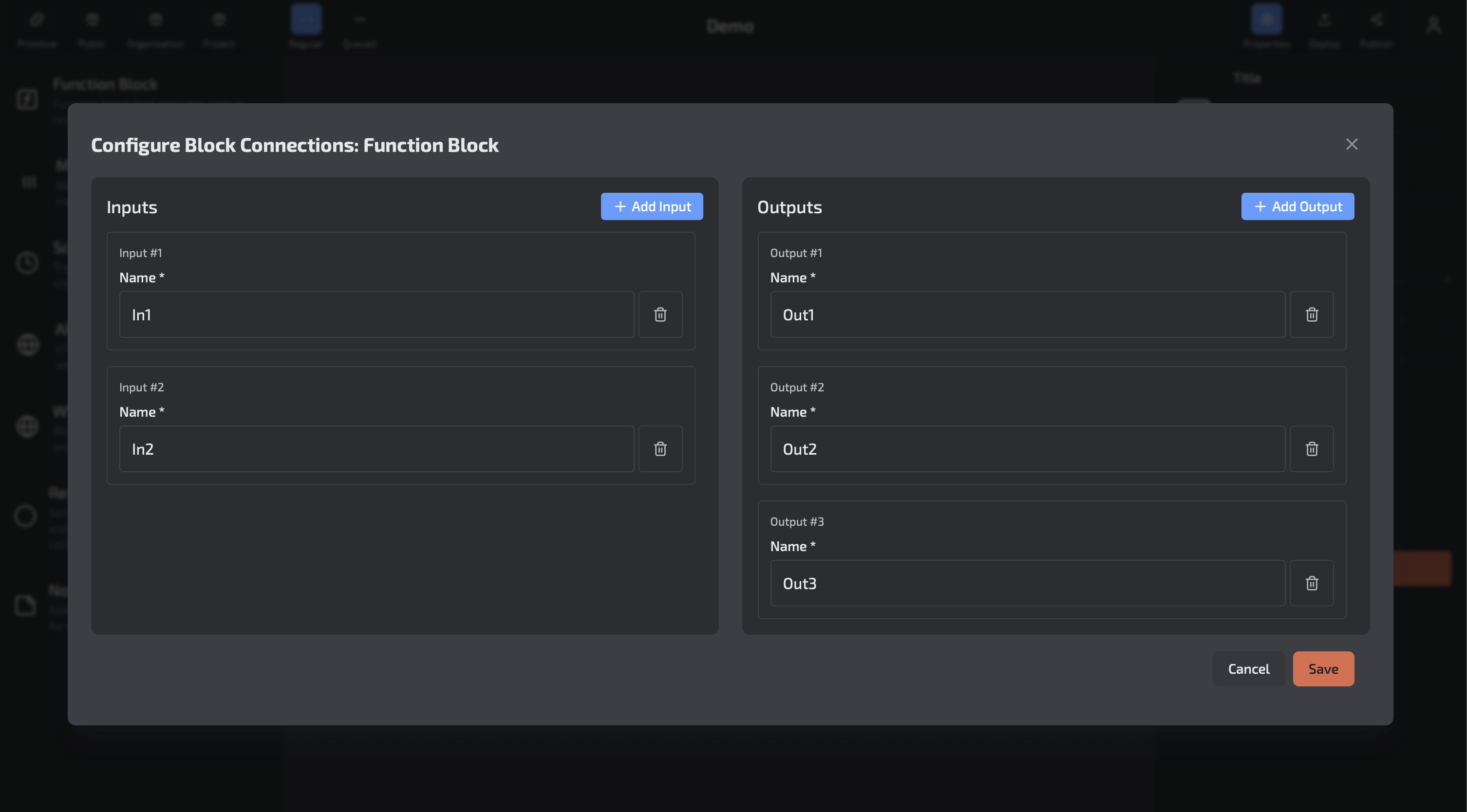
If the block has multiple outputs, you must specify which output you are sending the message to:
async function run(input: InputData, send: (payload: Outputs, options: SendOptions) => void) {
  console.log(JSON.stringify(input, null, 2));
  send({ data: 'Hello World' }, { to: 'Out1' });
}
The InputData
The main data that will be used is input.payload which contains the message payload. The input also has information about the request made, request headers for HTTP requests, connection routes and IDs for WebSockets. It also has the name of the input it came from.
interface InputData {
  from?: InputNames;
  payload: Inputs;
  ctx?: {
    webSocket?: WebSocketData;
    query?: Record<string, string>;
    headers?: Record<string, string>;
    rawBody?: string;
    synchronous?: boolean;
  }
}

interface WebSocketData {
  connectionId: string;
  domainName: string;
  stage: string;
  routeKey: string;
}
The Send Function
If the block has only one output, all you need is to call send with a payload.
If the block has more than one output, you must define at least the to option, specifying the output name to direct the output data.
Send Options
interface SendOptions {
  to?: OutputNames;
  synchronous?: boolean;
  webSocket?: {
    connectionId: string;
  };
  statusCode?: StatusCode;
}
| Option | Description |
|---|---|
to |
Define the output name the payload will be sent to |
synchronous |
Whether the block should wait for all downstream blocks to run before finishing |
webSocket.connectionId |
When using WebSockets API, the connectionId defines which connection the response should be sent to. Only used if the output is linked to a Response block |
statusCode |
If the block should respond with a status different from 200 (Success). Only used if the output is linked to a Response block |